

There’s a point in every Shopify journey when the catalog stops behaving as expected. Not a dramatic crash, just the slow, relentless fray. Titles drift. Images swap themselves in the night. Filters act like they’ve never met your attributes. You swear nothing “broke,” and yet launch week feels like walking across a floor that gives a little under every step.
If that’s you, you’re not incompetent; you’re scaling on a tool that was never meant to govern how product data is made. Shopify is a showroom. It will display anything you hand it, beautifully and without judgment. But as your team grows, “anything” becomes the problem. Too many hands. Too many fields. Too many almost-right versions of the truth.
This isn’t a technical failure; it’s an operational one. Chaos grows faster than catalogs.
And the moment you accept that, a PIM for Shopify stops sounding like another system and starts sounding like relief, a place where product data is shaped, agreed upon, and made publishable before it reaches the store.
Struggle With Product Data: The Slow, Quiet Frustration That Creeps In
Nobody wakes up and decides, “We should definitely invest in a PIM today.” That’s not how it goes. Instead, things unravel slowly. Quietly. Annoyingly.
It never begins with a crash. It starts with three versions of “Beige,” a size guide that quietly wandered, and SEO that went off-pattern because two people edited at once.
Each fix is reasonable in isolation; together, they create a catalog you don’t quite trust. You open products “just to check,” then check again because Shopify, by design, won’t tell you what’s missing, who changed what, or whether a rule was broken.
Metafields help until different teams interpret them differently. International markets drift because one update lands here and not there. Nothing is on fire, but you can feel the heat.
What changed isn’t your team or your standards; it’s your scale. The volume exposes the lack of guardrails. At that point, more spreadsheets and Slack threads only add new places for truth to diverge. What you need isn’t more fields; it’s a place that decides what “complete and correct” means, enforces it, and only then lets anything touch the store.
So What Actually Is a PIM for Shopify?
Forget the jargon. Forget the enterprise terminology. Here’s the simplest, most honest explanation.
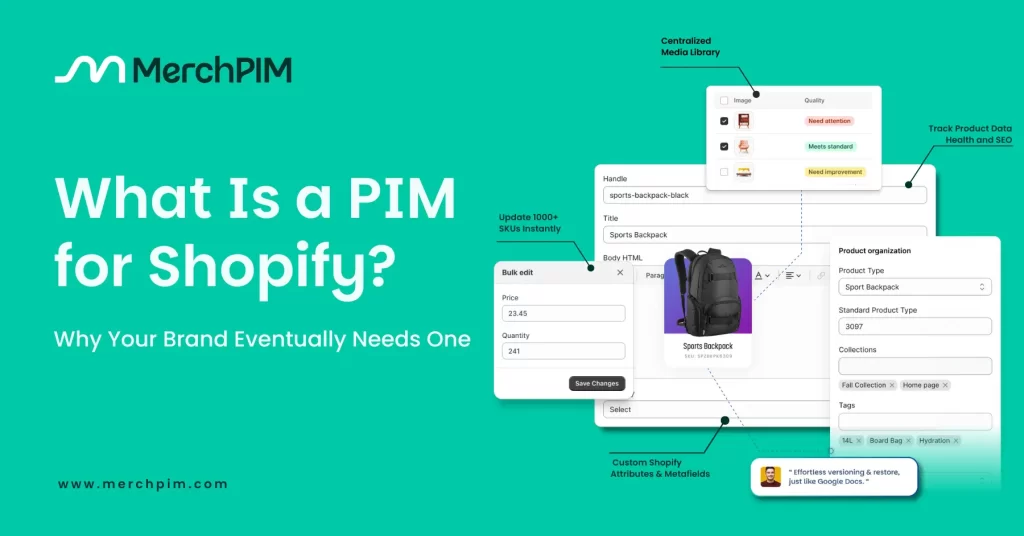
A PIM is the workspace where product data is made fit for the customers and buyers: modeled, validated, enriched, approved, and only then handed to Shopify.
Think of Shopify as the showroom, and the PIM for Shopify as the workshop. In the workshop, you decide what “complete and correct” means, you enforce it, and you keep one version of the truth.
In practice, this means titles follow a pattern because the pattern is established here. Attributes use controlled values instead of free typing, images meet the standards you set before they are seen, and SEO isn’t improvised per SKU. Every change has an owner and a history, allowing you to compare, explain, and undo changes without guessing. Collections can be previewed as a whole, not one product at a time, and nothing leaves the workshop until it passes the rules you define.
A PIM doesn’t replace Shopify, and it isn’t another spreadsheet. It’s the layer of governance your catalog was missing, the place that turns a fast-moving team into a consistent publishing system.
Why Brands Eventually Outgrow the Shopify Admin
Shopify is brilliant. Let’s get that straight. It’s the best commerce platform most companies will ever touch. However, it was never intended to be the platform for building product content at scale.
You feel the limitations as soon as your catalog grows to a specific size.
Shopify doesn’t warn you when a field is missing. It doesn’t prevent inconsistencies. It doesn’t guide your content. It doesn’t enforce a naming logic. It doesn’t tell teams not to overwrite each other. It doesn’t help you preview a collection properly. And it absolutely does not care if your image standards, SEO rules, or attribute structures vary wildly between products.
It assumes you know what you’re doing.
Which is great when you have 20 SKUs. Which is disastrous when you have 2,000.
Shopify is a world-class place to publish. But not a great place to create.
And the moment your operations rely on collaboration, governance, review, or structure, Shopify’s admin becomes the bottleneck.
That’s not your team failing. That’s the natural consequence of using a publishing tool as a management tool.
A Day in the Life: Without a PIM vs. With a PIM for Shopify

Let’s walk through a realistic scenario, because this is where teams instantly understand the difference.
| Without a PIM | With a Shopify-native PIM |
|---|---|
| – A new collection feels like controlled chaos. – Marketing rewrites titles in a spreadsheet. – Merchandising updates attributes directly in Shopify. – Someone edits variants on the live product because “it’s faster,” while someone else tweaks SEO at the same time. – A few metafields get missed. – A wrong size guide slips in. – Nothing is disastrous, but everything is slightly out of place, and the fixes continue to arrive days after launch. |
Without a PIM With a Shopify-native PIM – A new collection feels like controlled chaos. – Marketing rewrites titles in a spreadsheet. – Merchandising updates attributes directly in Shopify. – Someone edits variants on the live product because “it’s faster,” while someone else tweaks SEO at the same time. – A few metafields get missed. – A wrong size guide slips in. – Nothing is disastrous, but everything is slightly out of place, and the fixes continue to arrive days after launch. |
It’s not about going faster. It’s about removing the doubt that slows everyone down. The difference is certainty.
Why Growing Shopify Brands Eventually Need a PIM
As your store grows, the work changes. Product data stops being “content” and becomes a system. A system with rules, exceptions, dependencies, risks, and complexities that multiply with scale.
The reason teams start drowning isn’t because they’re inexperienced. It’s because the tools they’re using were never designed to handle the tasks they’re now performing.
When you reach a certain volume, the question stops being, “Who can fix this product?” And becomes, “How do we stop this chaos from happening in the first place?”
That is exactly what a PIM for Shopify is built for.
It doesn’t eliminate the complexity of your business; nothing can. However, it removes the unnecessary chaos that has been layered on top of it. Once you’ve lived in both worlds, you’ll never want to go back.
How a Shopify-Native PIM Actually Works (practical workflow)
Most explanations of “How a PIM for Shopify works” are too abstract.
Here’s the real, practical flow, the one used by Shopify brands that run catalogs efficiently without firefighting.
Step 1 – Centralize & Model Your Product Data
Create your product schema: attributes, allowed values, data types, validation rules, and variant logic. Include media sets (primary/secondary, video, 3D) and SEO fields.
Step 2 – Build Your Field Mapping Matrix (the secret sauce of clean syncing)
This is where most PIM implementations fail, as vendors often skip the hard work. But Shopify brands that do it right always start here.
| PIM Field | Shopify Target | Type | Ownership | Notes |
| Material | Metafield custom. material | Single line | PIM | Enforced list (Cotton, Silk, …) |
| Color | Option option1 | Enum | PIM | Keep ≤ 1 option for color; variants generated |
| Size Guide URL | Metafield custom.size_guide | URL | PIM | Autofill per product type |
| Hero Image | Media | Image | PIM | 2000px min width |
| Meta Title | SEO | Text | PIM | Pattern: `{{brand}} {{title}} |
(Most vendor pages don’t show this level of specificity; this table prevents 80% of sync bugs.)
Step 3 – Apply Enrichment Rules & Templates
- Title patterns, bullet generation, compliance flags (e.g., missing country of origin).
- Auto-alt-text template: {{product_title}} – {{color}} – {{angle}}.
- Compliance flags: Missing care instructions? Missing ingredients? Wrong image resolution? Wrong variant order?
- The PIM flags it before it ever reaches Shopify.
- Localization placeholders for Markets (language/market overrides).
Step 4 – QA & Readiness Score
Before publishing, compute a readiness score: required fields present, images ≥ resolution threshold, SEO fields filled, translations complete, and no disallowed values. (Catsy calls out readiness/reporting ideas; make it systematic.)
The Features People Think They Want vs. The Ones They Actually Need in a PIM for Shopify
Most teams ask for bulk editing and templates. Useful, yes. But what they’re really buying is trust, the confidence that the catalog won’t betray them on launch day. These are the features that create that trust.

Version History, Compare & Rollback
Every change to titles, attributes, SEO, variants, and media is tracked, including who made the change and when. You can compare two versions side by side and restore the correct one in seconds, without spreadsheets, guessing, or a blast radius.
Advanced Filtering to Find Problems Fast
As the catalog grows, speed is essentially about diagnosis, filtering by missing attributes, invalid values, stale images, unsynced stores, or broken variants. Fix the outliers instead of combing through everything.
Safe, Reversible Bulk Editing
Shopify’s bulk editor is fine for small jobs. For real scale, you need previews, rules, transforms, and instant rollback. Change hundreds of SKUs confidently, knowing you can undo in one click.

Shopify-Native Sync (Stores, Markets, Channels)
Delta sync sends only the changes that have occurred since the last sync. Market-aware logic avoids overwriting localized content. Clear logs show what was synced, what wasn’t, and why, so API days never feel like a gamble.
Attribute Templates & Validation at Save
Category templates (e.g., Apparel: Fit/Material/Care; Electronics: Specs/Warranty) enforce allowed values and structure, ensuring consistency across categories. People stop free-typing; filters, feeds, and SEO stop breaking.

Readiness & Approvals That Actually Block Publish
“Looks good” isn’t a process. Define what “complete” means (fields, media, SEO, translations), preview collections, and block publishing until it’s green. Fewer surprises, calmer launches.
Field Modeling & Controlled Vocabulary
One source of truth for names, options, and enums. “Beige” is “Beige,” everywhere, forever. Variant logic is locked. Your catalog finally behaves like a system, not a set of opinions.
A Final Thought: The Real Reason You Need a PIM for Shopify
There comes a point where you stop asking, “Do we need a PIM?” and start realizing your team has been acting like one, manually checking, correcting, rewriting, re-uploading, re-syncing, because the system around them doesn’t enforce anything by default. That’s the moment the cost becomes clear: not money, but momentum. Launches that wobble. Markets that drift. Filters that collapse under tiny inconsistencies. Hours spent cleaning up things that shouldn’t have broken in the first place.
A PIM doesn’t eliminate the work; it eliminates the guessing. It turns product data from a moving target into a shared truth. It removes the quiet tension that builds every time you hit “Publish” and hope your catalog holds. And when you feel that shift when launches stop feeling risky and daily maintenance stops feeling fragile, you realize the PIM didn’t add a new system to your workflow. It replaced the invisible chaos that was slowing everything down.
A stable catalog doesn’t happen by accident. It happens because you finally gave the data a place to live, grow, and stay consistent before Shopify ever sees it.That’s the real value of a PIM. Not speed.
Not automation. Certainty.
The kind you can scale on.